Hands
This Library palette category houses hand (*.HD2) files, which can be applied to your currently selected figure. Hand files are subsets of Pose files that only contain positioning information for the hand and its children (fingers). Hand poses contain both finger positions and wrist positions.
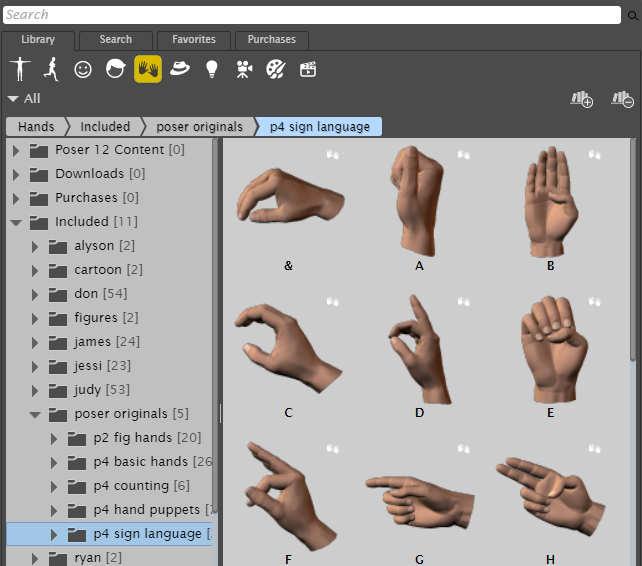
The Hands category stores poses that affect the hands and fingers.
Not all figures hands are created using the same number of joints. Ryan and Alyson contain an additional joint at the knuckle and older hand poses may not work correctly on their hands. Additionally, Hand poses saved using Ryan or Alyson may not apply to older content correctly.
If you apply a pose file to a figure then apply a hand, only the hand positions will change. If, however, you apply a hand file to a figure followed by a pose, the pose application will override the positions specified by the hand file.
To add a hand pose to a figure:
Click the figure to which you want to apply the hand pose.
Select the Hands category in the Poser Library, and select the hand pose that you want to apply.
Click the Apply Library Preset button at the bottom of the Library palette, or drag the hand pose from the library to the character to which you want to apply the pose. A dialog asks if you want to apply the pose to the figure’s right hand or left hand. Click either button to apply the pose.