Set Figure Parent
You can attach props to body parts, body parts to each other, figures to props, figures to figures, cameras to body parts- the list goes on and on. Setting a parent creates a hierarchical relationship, as described in Establishing Hierarchal Relationships. You can parent entire figures to various other scene elements. For example, you can parent a character to the bench that it sits on, and when you move the bench to another location in the scene, the figure will go with it.
To set a parent for a figure:
Select the figure you wish to parent (make the child of another object).
Select Figure> Set Figure Parent to open the Object Parent dialog.
Select the desired parent object and click OK. To parent props, camera, etc., select Object> Change Parent as described in Changing a Parent.
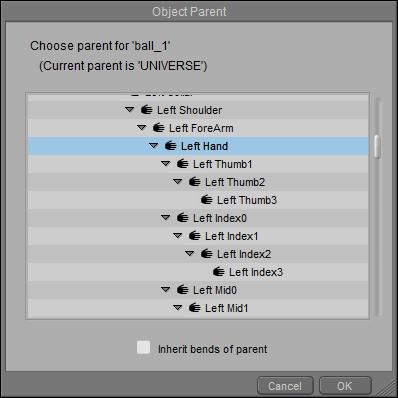
Choosing a parent for a figure