.png)

There’s no better season for a little creative “Frankensteining.”
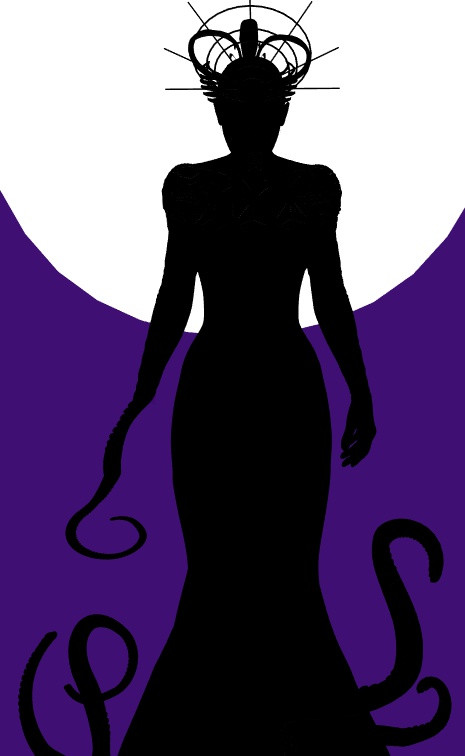
In Poser, swapping a limb, face, or feature with a prop isn’t just a technical trick but a chance to stitch together something wonderfully uncanny. Whether you’re crafting a pirate with a gleaming hook, a demon with a clawed mutation, or a creature whose crystal‑grown arm glows from within, the process is equal parts artistry and mad‑scientist fun.
This tutorial walks you through the clean, professional workflow behind these horror‑friendly transformations, showing you how to replace body parts with precision while keeping your figure’s rigging, posing, and style intact.
Time to spark the lightning and bring your monsters to life!
Step 1: Load Up Your Monster
Start by loading your figure and the prop you’ll use for the replacement. Position the prop exactly how you want it, adjusting scale, rotation, and placement until it looks just right.
Tip: Check your work from every angle before you commit. Once you swap the part, repositioning isn’t an option. Even Frankenstein had to live with his choices!
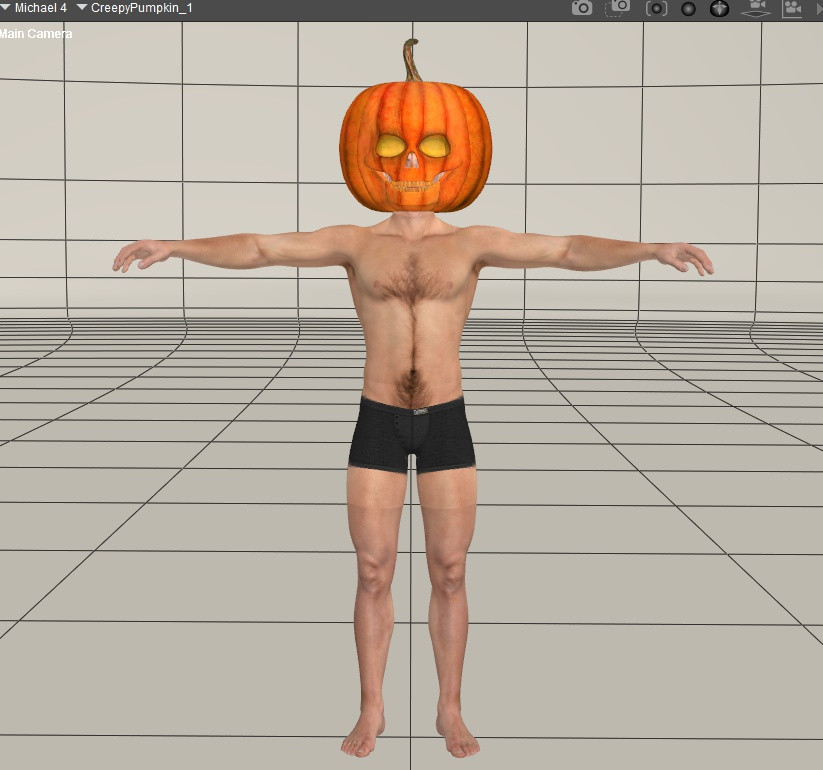
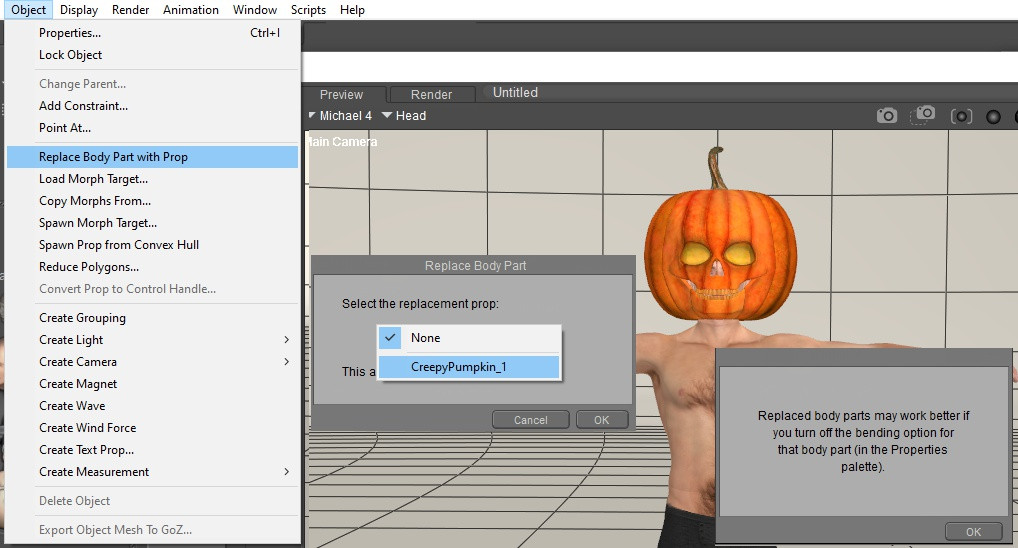
Step 2: Make the Swap
Select the body part you want to replace, then head to Object → Replace Body Part With Prop.
Poser will prompt you to choose your prop, then suggest turning off bending for that part (to prevent weird distortions when posing). Click OK and just trust the lab assistant.
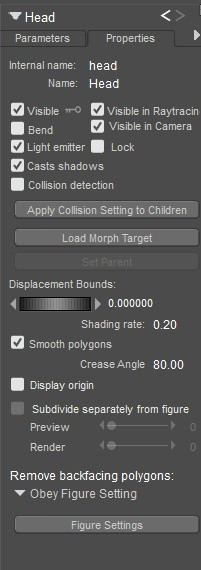
With your new “Head” (or whichever part you replaced) selected, open the Properties panel and make sure Bend is unchecked. This keeps your creation looking sharp and spooky instead of warped and wonky.
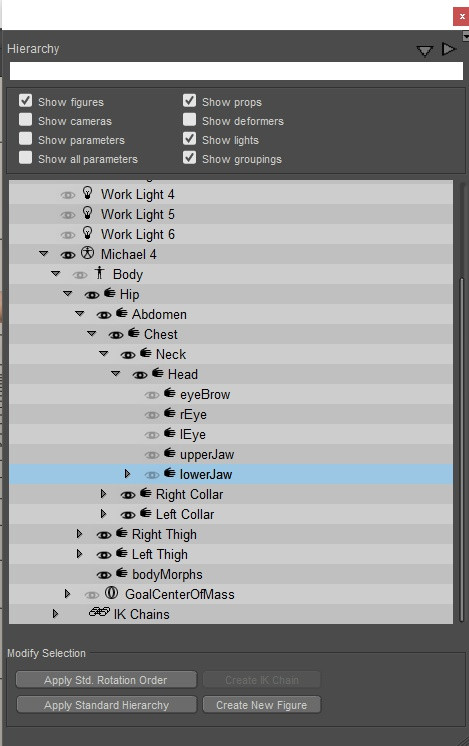
Since you’ve swapped the head, you’ll want to hide any leftover parts such as brows, eyes, jaw, etc. The easiest way is through the Hierarchy panel.
Hold Alt while turning off visibility to hide all child elements too (like tongue parts). Voilà! Your monster’s transformation is complete!
Save your newly Frankensteined figure to your library so it’s ready for future experiments. You never know when inspiration, or lightning, will strike again.
-
Hook hand: Replace the hand with a pirate hook, curved blade, or skeletal claw.
-
Stone arm: Replace an arm with carved stone, crystal, magma, or petrified wood; add glowing cracks as a material effect.
-
Demon arm: Replace the forearm with a scaled, clawed, or tentacled limb; keep the upper arm human for a mutation transition.
-
Wooden peg leg: Replace the lower leg with a carved peg, branch, or antique prosthetic.
-
Hooves: Replace feet with goat, deer, horse, or demon hooves.
-
Skull face: Replace the head with a skull, mask, or alien exoskeleton.
-
Tentacle limb: Replace an arm with a tentacle, then use morphs for curling motion.
-
Crystal growth: Replace a hand or forearm with jagged crystal; parent smaller shards to the shoulder or chest.